ConfigMap
The ConfigMap section allows you to manage key-value configuration entries for your bot. These entries can store sensitive data such as API keys, environment-specific settings, or custom configuration values that your bot actions and agents can access at runtime.
This feature provides a secure way to externalize configuration from your code, following best practices for managing secrets and environment-specific settings.
Overview
Navigate to Content → ConfigMap in the sidebar to view all configuration entries for your bot.

The table displays the following information for each entry:
- Key: The unique identifier for the configuration
- Value: The stored configuration value
- Description: Optional description explaining the purpose
- Write Protection: Lock icon indicates protected entries
Creating a ConfigMap Entry
To create a new configuration entry:
- Click the + Create button in the upper-right corner
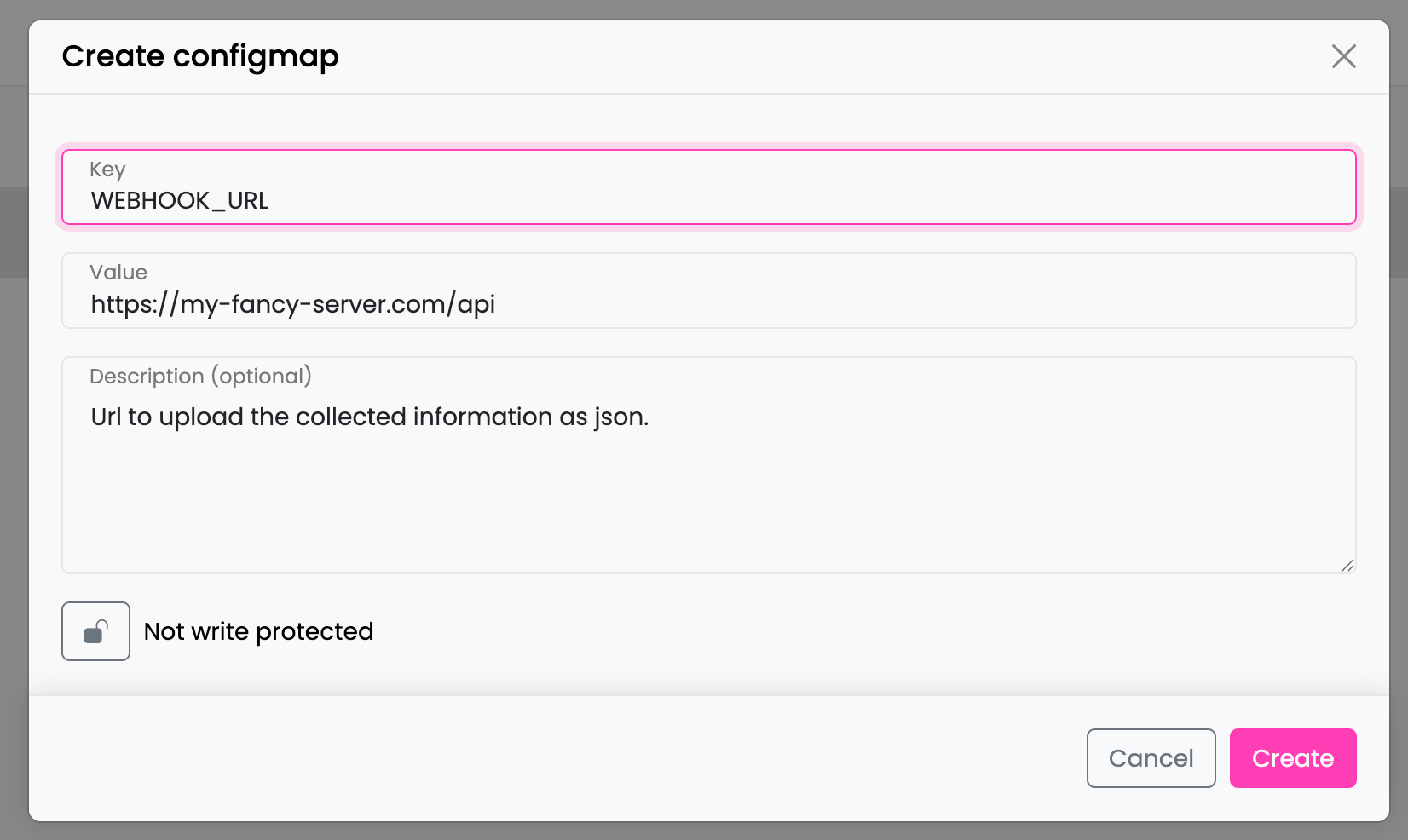
- Fill in the required fields in the modal:
- Key: A unique identifier for your configuration (e.g.,
WEBHOOK_URL,API_KEY) - Value: The configuration value to store
- Description (optional): A human-readable description explaining the purpose of this entry
- Key: A unique identifier for your configuration (e.g.,
- Optionally enable Write Protection by clicking the lock toggle
- Click Create to save the entry
Managing Entries
Click on any row in the table to open the edit modal where you can:
- Modify the key, value, or description
- Toggle write protection on or off
- Delete the entry using the Delete button
Write Protection
Entries can be marked as protected using the lock toggle. Protected entries:
- Display a green lock icon in the grid
- Are preserved (not overwritten) during bot imports
- Useful for environment-specific values like production API keys
Tip: Mark environment-specific entries (like production API keys) as protected to prevent accidental overwrites when importing bot configurations from other environments.
Accessing ConfigMap Values in Scripts
ConfigMap values are automatically loaded when a conversation starts and can be accessed in your custom agents and scripts using the get_config_value() method.
Example: Accessing a Webhook URL
async def run(tracker, context):
    # Retrieve a configuration value
    webhook_url = tracker.get_config_value("WEBHOOK_URL")

    if webhook_url is None:
        tracker.warning("WEBHOOK_URL not configured in ConfigMap")
        return

    # Use the webhook URL in your integration
    await send_data_to_webhook(webhook_url, context.get("collected_data"))

    return {"status": "sent"}
API Method Reference
tracker.get_config_value(key: str) -> str | None
Retrieves a configuration value from the bot's ConfigMap.
Parameters:
key(str): The configuration key to retrieve
Returns:
str: The configuration value if the key existsNone: If the key doesn't exist
Use Cases
1. Storing External API Credentials
Store API keys for third-party services your bot integrates with:
| Key | Example Value | Description |
|---|---|---|
SALESFORCE_API_KEY | 123-test-xxx | Credentials for CRM integration |
SENDGRID_API_KEY | SG.xxxxx | Email service authentication |
STRIPE_SECRET_KEY | sk_live_xxx | Payment processing credentials |
2. Environment-Specific Configuration
Manage different configurations across environments:
| Key | Example Value | Description |
|---|---|---|
WEBHOOK_URL | https://my-fancy-server.com/api | URL for external webhook callbacks |
DEBUG_MODE | false | Enable/disable verbose logging |
MAX_RETRY_ATTEMPTS | 3 | Configure retry behavior |
3. Feature Flags
Control feature availability without code changes:
| Key | Example Value | Description |
|---|---|---|
ENABLE_PREMIUM_FEATURES | true | Toggle premium functionality |
MAINTENANCE_MODE | false | Temporarily disable certain flows |
4. Business Configuration
Store business-specific values that may change:
| Key | Example Value | Description |
|---|---|---|
SUPPORT_EMAIL | support@company.com | Contact email for escalations |
BUSINESS_HOURS_START | 09:00 | Opening hour |
BUSINESS_HOURS_END | 18:00 | Closing hour |
Backup & Restore Behavior
ConfigMap entries are included in bot backups and exports:
- Protected entries are preserved during imports and restores if the "Keep Protected Values" option is enabled
- Unprotected entries are overwritten during imports
- Entries are versioned along with other bot configurations
Best Practices
- Use descriptive keys: Choose clear, consistent naming conventions (e.g.,
SERVICE_API_KEY,FEATURE_ENABLED) - Add descriptions: Document the purpose of each entry for team members
- Protect sensitive values: Enable write protection for production credentials
- Don't store large data: ConfigMap is designed for small configuration values, not large datasets
- Handle missing values: Always check if
get_config_value()returnsNoneand handle gracefully
# Good practice: Handle missing configuration
api_key = tracker.get_config_value("EXTERNAL_API_KEY")
if not api_key:
    tracker.error("Missing required configuration: EXTERNAL_API_KEY")
    return {"error": "Configuration missing"}