IMAP Mail
The IMAP Mail channel lets your bot receive emails from an IMAP mailbox. New mails are picked up from the INBOX and appended to a new or existing conversation automatically.
Prerequisites
- An IMAP account with username and password.
- IMAP enabled on your provider.
- Host and port details from your mail provider.
Configuration
- Go to Client → Channels → IMAP Mail.
- Fill in the fields:
- Enabled: turn on to activate the channel.

- IMAP Server Host: provider’s IMAP host (e.g.,
imap.example.com). - Port: usually
993for secure connections. - Secure connection: on for TLS/SSL (recommended).
- Username (email): your mailbox username/email.
- Password: your mailbox or app password.
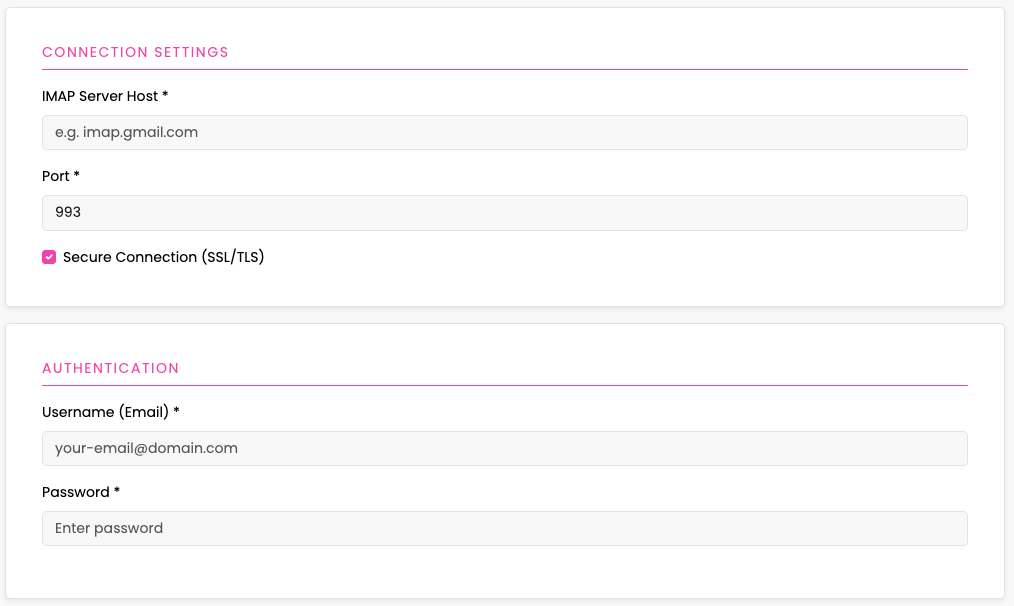
- Enabled: turn on to activate the channel.
- Click Save.
What happens on Save
- If Enabled is true, the platform runs a live connection check against your IMAP server. If it fails, you’ll see: “IMAP configuration is not valid. Please check your credentials and settings.” Nothing is activated until it passes.
- If the password in the form is masked (e.g.,
***…) and you don’t change it, the existing password is kept. Update the field only when you want to change credentials.